CLIPCAPTURE FOR MACOS
Stop hunting for what you just copied
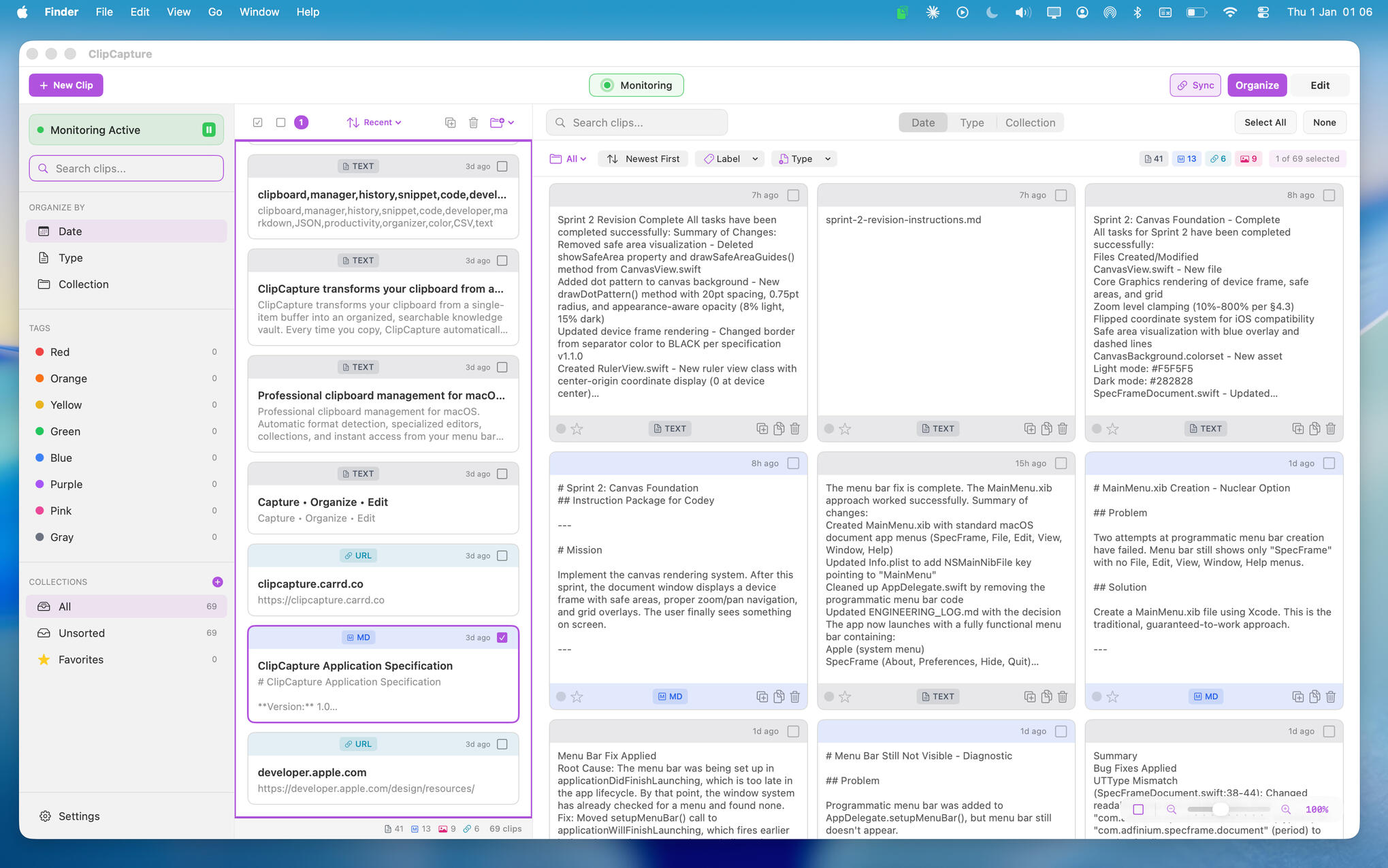
ClipCapture transforms your clipboard into an intelligent workflow. Automatic type detection. Organised vault. Instant search. Export anywhere. Information flows through your work, never gets lost.
Always Accessible
Every clipboard item saved automatically. Tag, search, and retrieve anything you've copied - no more losing important snippets.
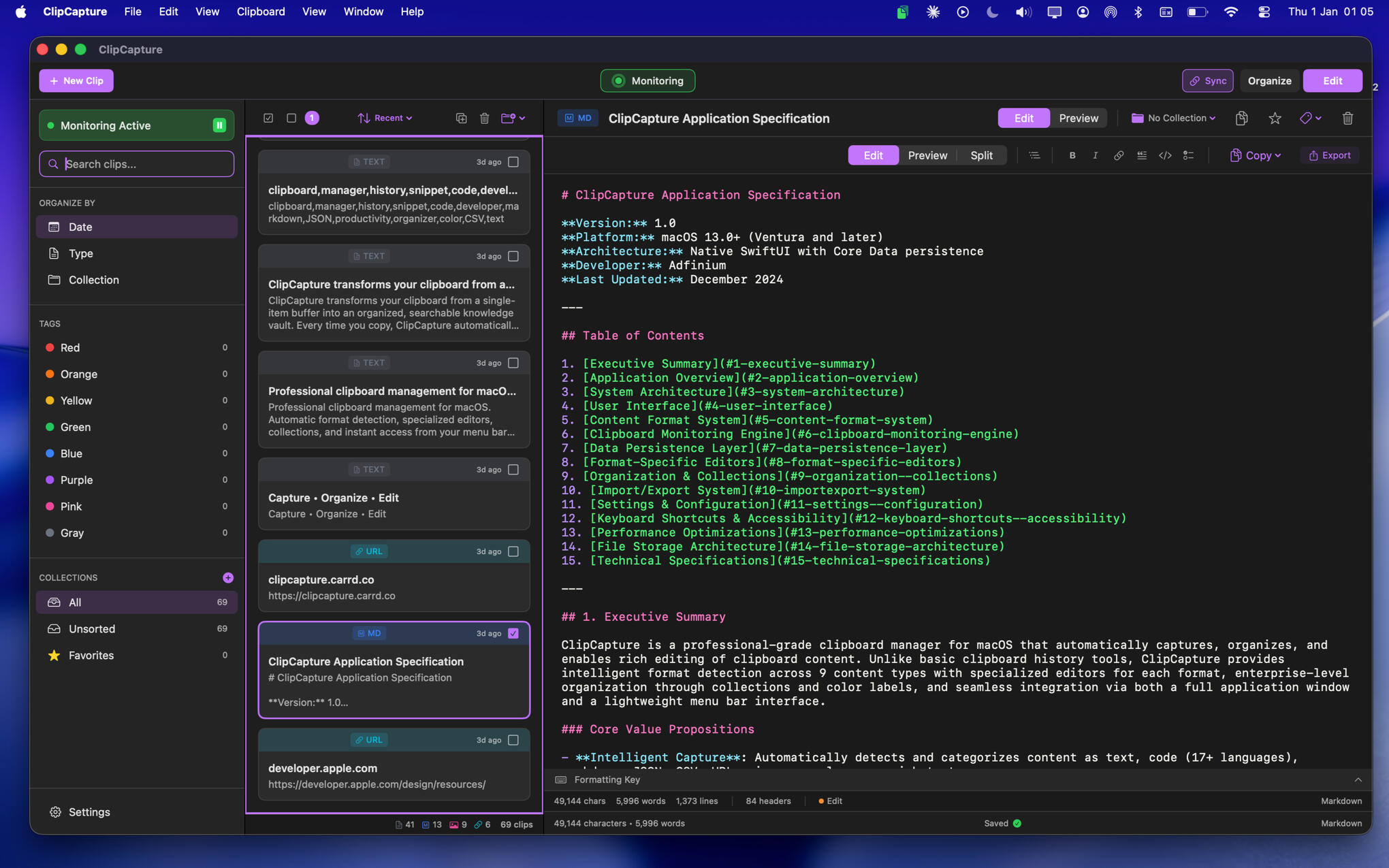
Edit on the Fly
Make quick edits without switching apps. Refine text, fix typos, format content - all inside ClipCapture.
Instant Search
Find what you need in seconds. Filter by date, search by content,
organize by tags. Your clipboard history, always accessible.
YOUR CLIPBOARD VAULT
Never lose another snippet
Code, text, URLs, numbers—ClipCapture automatically detects content types and organises accordingly. No manual categorization. No guessing. Information routes itself to the right place.Like air traffic control for your clipboard.
ZERO-FRICTION WORKFLOW
Organizes as you work
Every copy creates a new card automatically. No stopping to file things. No breaking flow. Your clipboard history builds itself while you work.Tag later if you want. Search anytime. The system handles the rest.
Built for how you actually work
EVERYTHING IN CLIPCAPTURE
Capture
Automatic clipboard monitoring
Smart type detection (code, markdown, JSON, URLs, colors, CSV, plain text)
Duplicate prevention
Source app tracking
Pause monitoring anytime
Organize
Create collections for projects
Color labels for quick tagging
Filter by type, date, or collection
Favorites and pinned clips
Drag-and-drop organization
Search
Instant full-text search
Filter by content type
Browse by date or collection
Find anything in seconds
Edit
Built-in text editor
Syntax highlighting for code
Markdown preview
Edit without leaving the app
One-click copy back to clipboard
Access
Menu bar popup for quick access
Keyboard shortcuts throughout
Works silently in the background
Native macOS design
Privacy
All data stored locally on your Mac
No accounts required
No cloud sync
No tracking or analytics
Your clipboard stays yours
OUT NOW
£9.99
Released: Jan 16, 2026
Full clipboard vault access
Unlimited clipboard history
Built-in text editor
Tag & search functionality
All future updates included
Your data stays on your device
PRIVACY POLICY
Last Updated: December 2025What We CollectNothing.ClipCapture does not collect, transmit, or have access to any of your data. All clipboard content is stored locally on your Mac using Apple's Core Data framework.What ClipCapture Does NOT Do- Transmit clipboard contents to any server
- Collect analytics or usage data
- Track your behavior
- Require an account or login
- Access the internet for any purposeClipboard AccessClipCapture monitors your system clipboard to provide its core functionality. You maintain full control:- Pause monitoring at any time via the Monitoring toggle
- See the monitoring status indicator at all times
- Delete any or all captured clips whenever you chooseData StorageYour clipboard data is stored locally on your Mac. It:
- Never leaves your device
- Is not accessible to the developer
- Can be deleted at any time via Settings → Clear All Clips
- May be included in your system backups (Time Machine, etc.)Third-Party ServicesClipCapture does not integrate with any third-party services, analytics platforms, advertising networks, or cloud services.Data RetentionClipboard data is retained locally until you delete it. You control retention through:- Manual deletion of individual clips
- Bulk deletion via multi-select
- Clear All Clips function in Settings
- Uninstalling the applicationChildren's PrivacyClipCapture does not collect data from anyone, including children.Changes to This PolicyMaterial changes will be noted in app update release notes. The current version is always available on this page.ContactFor privacy questions or concerns, please contact us using the form below.George Hales
Adfinium
United Kingdom
Need help?
SUPPORT
Have a question, found a bug, or have a feature suggestion? I'd love to hear from you.
Typical response time: 24-48 hours